Portfolio
Headshots Boudoir Personal Brand
More
Guides Investment Guided Posing About Book a Session
Home  /  Guides  /  What Resolution Do You Actually Need?
Knowledge

What resolution you actually need.

Resolution is the technical question that follows a photograph everywhere: the printer wants 300 dpi, the web designer wants something under a certain weight, the conference wants a file for a banner, and none of them explain what any of it means. It is arithmetic, and once you have the arithmetic you can answer it yourself for any use.

By Annie Watson · Naples, Florida · Updated September 2026
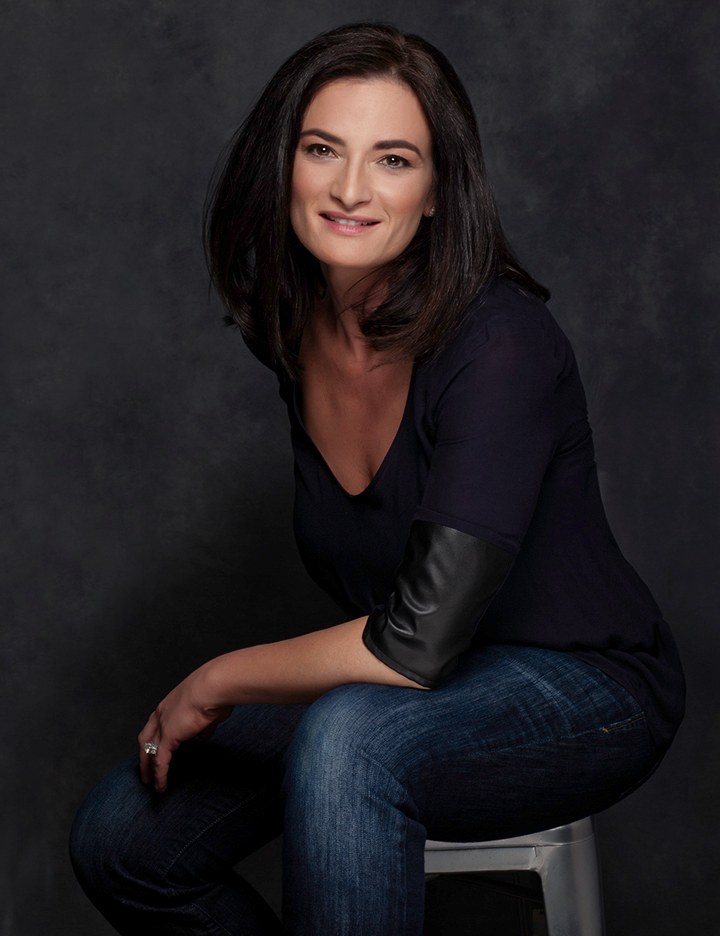
Woman with dark hair in a black top and jeans, seated on a stool, dark backdrop, photographed by Annie Watson in her Naples studio
The Short Answer

A photograph has exactly one measure of size: how many pixels wide and how many pixels tall it is. Inches and dpi are not stored in the picture. They are a ratio you choose when you decide how large to print it, and 300 dpi is simply the convention for something held in your hands.

So the working method is division. For print, take the longest side in pixels and divide by 300 to see the biggest comfortable print in inches, or by roughly 150 to 200 for a piece hung on a wall and looked at from across the room. For a screen, find the widest place the picture will ever be displayed and supply about twice that many pixels.

Pixels are the only real unit.

Open the information panel on any photograph and you will find two numbers that never lie: width in pixels and height in pixels. A frame that is 6000 by 4000 has that many little squares of color and no more, forever. Everything else people say about size is a decision made later.

Inches are not in the file. Neither, in any meaningful sense, is dpi. There is a small note tucked in the metadata that says something like 72 or 300, and it is only a suggested printing size. Changing it without changing the pixels changes nothing about the picture at all, which is why a file marked 72 can print beautifully and a file marked 300 can fall apart.

Once you accept that pixels are the only real currency, every version of this question becomes the same question: does this picture have enough squares for the size somebody wants to display it at?

What 300 dpi is really saying.

Dots per inch is a ratio, not a property. It says: take the pixels and spread them across this many inches. Three hundred became the print convention because at ordinary reading distance, with a print in your hands, the eye stops separating individual dots at around that density. Go much below it on something held close and the picture starts to look soft and slightly plastic.

The arithmetic runs in both directions and it is the whole skill.

  • Inches you want, multiplied by 300, gives the pixels you need. An 8 by 10 wants 2400 by 3000.
  • Pixels you have, divided by 300, gives the biggest comfortable print. A 6000 pixel long side gives you 20 inches.
  • For a wall piece seen from several feet away, divide by 150 or 200 instead, because distance does the work the extra pixels would have done. That same 6000 pixel side covers a 30 to 40 inch print.

This is why the answer to how big can I print this is never a single number. A picture that is generous on a wall can be thin in an album, where the page is inches from your face. If you are planning something bound, albums and heirloom books have their own demands, and they are the strictest in the family.

Screens do not think in inches at all.

For anything shown on a screen, forget dpi entirely. What matters is how many pixels wide the space is where the picture will appear, and then the fact that modern displays pack two or more physical pixels into every one of those. Supply only what the layout asks for and the picture looks slightly soft on a good screen. Supply about double and it looks crisp everywhere.

  • A profile picture displayed at around 400 pixels across wants a file about 800 across.
  • A full width header or hero image wants something in the region of 2000 to 2500 pixels wide, because width is the dimension that gets stretched.
  • A slide fills a 16:9 frame, which is 1920 by 1080 at the size most projectors and screens work in.

There is an upper limit on all of this, and it is page speed rather than quality. Uploading a 6000 pixel file into a space 400 pixels wide makes nothing look better and makes the page slower to load, which is its own kind of damage. Resize a copy for the job, upload the copy, and keep the original untouched somewhere else.

Every crop spends pixels you cannot earn back.

Cropping costs you something, and this is where most surprises begin. Cut a tight square head crop out of a full length frame and you may keep only a third of the width you started with. The remaining picture is smaller in pixels than the original by exactly the amount you removed, and there is no way back to the pixels you cut away.

It is also why one file can pass one test and fail the next. A photograph that is generous for a profile square can be nowhere near enough for a wide banner, not because the banner is bigger in inches but because the shape change has already thrown away the top and bottom before the enlarging even starts. Aspect ratio is a resolution decision wearing a disguise, which is the argument print sizes and cropping takes further.

The practical defense is framing. If you know at planning time that something is heading for a banner, a wide website header or a square profile, the frame can be shot a little looser so that all three crops still have room in them. That decision is nearly costless before the shutter and impossible after it.

Resolution is not the same as sharpness.

A file can be enormous and still look soft. Focus that landed on an ear instead of an eye, a shutter speed too slow for a moving subject, a lens working at an aperture where diffraction has started to bite: none of those are fixed by having more pixels. They are recorded in more detail by more pixels, which is not the same favour.

The things that decide whether a portrait looks good are mostly upstream of the file size. Light, distance and lens choice do the shaping, and focal length in particular decides how your features are drawn before resolution gets a vote. If you have been told that a bigger number on a camera means a better picture, the megapixel myth is worth ten minutes of your attention.

Color is a separate axis again. How many pixels there are and what color those pixels are meant to be are unrelated questions, and mixing them up leads people to send enormous files that still print with the wrong color. sRGB and CMYK covers that half.

Enlarging, and what it can honestly invent.

Making a file bigger means inventing pixels that were never recorded. Software does this by looking at the neighbors and guessing what belongs between them. Modern methods are far better at the guess than they used to be, and they are still guessing.

The honest boundary sits roughly here. A moderate enlargement, on the order of a third larger, generally holds up and nobody notices. A large one softens detail in the places you look first, which in a portrait means eyelashes, the edge of the iris, hair against a background and the texture of skin. And a small web copy blown up to a wall never recovers, because the detail is not merely stretched, it was thrown away when the copy was made.

Which leads to the single most useful habit in this whole subject: keep one full size master, make disposable copies from it for each job, and never let a downsized copy become the only version you own.

The check that takes ten seconds.

Before you send a picture anywhere, open it and look at the pixel dimensions. Then do one division.

  • Held in the hand, printed: longest side divided by 300 is your comfortable size in inches.
  • Hung on a wall: longest side divided by 150 to 200, because you will stand back from it.
  • On a screen: is it at least twice as wide as the space it has to fill?
  • About to be cropped: run the sums on what will be left, not on what you have.

That is the entire discipline. It also explains why a good headshot file is worth keeping carefully: one properly sized original can supply a profile, a printed program and a banner for years, while a copy of a copy pulled off a website can supply none of them. What arrives at the end of a session, and what the investment covers, is a set retouched by hand in a private, password protected gallery within the week. Which of those files you keep, and where you keep them, is worth asking about directly. For the wider context around all of this, the complete guide to professional headshots is the place to start.

Key Takeaways
  • The only true measure of a photograph's size is its pixel dimensions; inches and dpi are a ratio you apply afterwards.
  • Multiply inches by 300 to get the pixels a held print needs, and divide pixels by 150 to 200 for something hung on a wall.
  • For screens, supply about twice the pixel width of the space the picture will fill, then stop.
  • Cropping and changing shape both spend pixels permanently, so run the arithmetic on what will be left after the crop.
  • Enlarging invents detail rather than recovering it, and a modest enlargement is fine while a dramatic one is not.
  • Keep one full size master and make every other version as a copy from it.
Next Step

Plan the crops before the shutter.

If a picture from your session has to work as a square profile, a printed page and a wide banner, that is a framing decision made at planning time, not a rescue attempt afterwards. Tell me where the photographs are going and the frames can be built with room in them. Pricing and planning are personal, so call (239) 319-6171 or send the form.

Book a Session Call (239) 319-6171
Put It to Work

Sessions this guide points to.

Good to Know

Questions, answered.

The printer asked for 300 dpi and my file says 72. Is my file wrong?
Probably not. That number is a note in the metadata suggesting a print size, and it has no effect on the picture itself. What the printer actually needs is enough pixels for the size they are printing. Multiply the finished inches by 300 and compare that to your pixel dimensions. If the pixels are there, the file is fine and the dpi tag can be reset in seconds.
Can a small photo be made bigger for a print?
It can be enlarged, and how well it survives depends on how far you push it. A modest step up is usually invisible. A big jump softens exactly the details a portrait lives on: lashes, the edge of the iris, individual hairs, skin texture. Nothing invents detail that was never recorded in the first place, so the honest fix is to go back to the original file rather than to the copy.
What size do I need for a trade show banner?
Ask the banner printer for the finished dimensions and the resolution they work to, because large format is printed at far lower densities than a book. A banner viewed from several feet away needs nothing like 300 dpi. What it does need is the right shape, and banners are tall and narrow or long and wide, so the crop is usually the real constraint rather than the pixel count.
Should I upload the largest file I have to my website?
No. Beyond about twice the display width you gain nothing visible and start costing the page speed, which affects everyone who visits. Export a resized copy for the web, upload that, and keep the original stored somewhere it will not be touched. The rule is one master, many disposable copies, and never the other way around.
Why does a photo look sharp on my phone and soft on my monitor?
Because the phone is showing it at a fraction of the size. A small screen with a dense display packs the pixels tightly and hides everything. Open the same file on a large monitor and it is spread across many more inches, so any softness in the original has room to show itself. Judging sharpness always means viewing at the size the picture will actually be used.
Does a square profile crop need a different file from a printed one?
It needs a different copy, made from the same master. A square crop taken from an upright frame loses the top and bottom, so it ends up with fewer pixels than the file it came from. That copy is perfect for a profile and too small for a print, which is exactly why the full size original stays put and every use gets its own export.
Book Your Session

Your best headshot is one session away.

Tell me a little about what you have in mind and I will be in touch personally. Pricing is personal, so the best way to plan is a quick call.

Studio
5400 Yahl St, Naples FL

Prefer to talk? Call (239) 319-6171. I respond personally.